Wiki
Find the right Space guide from a compact in-app topic directory and open detailed documentation in a new tab.
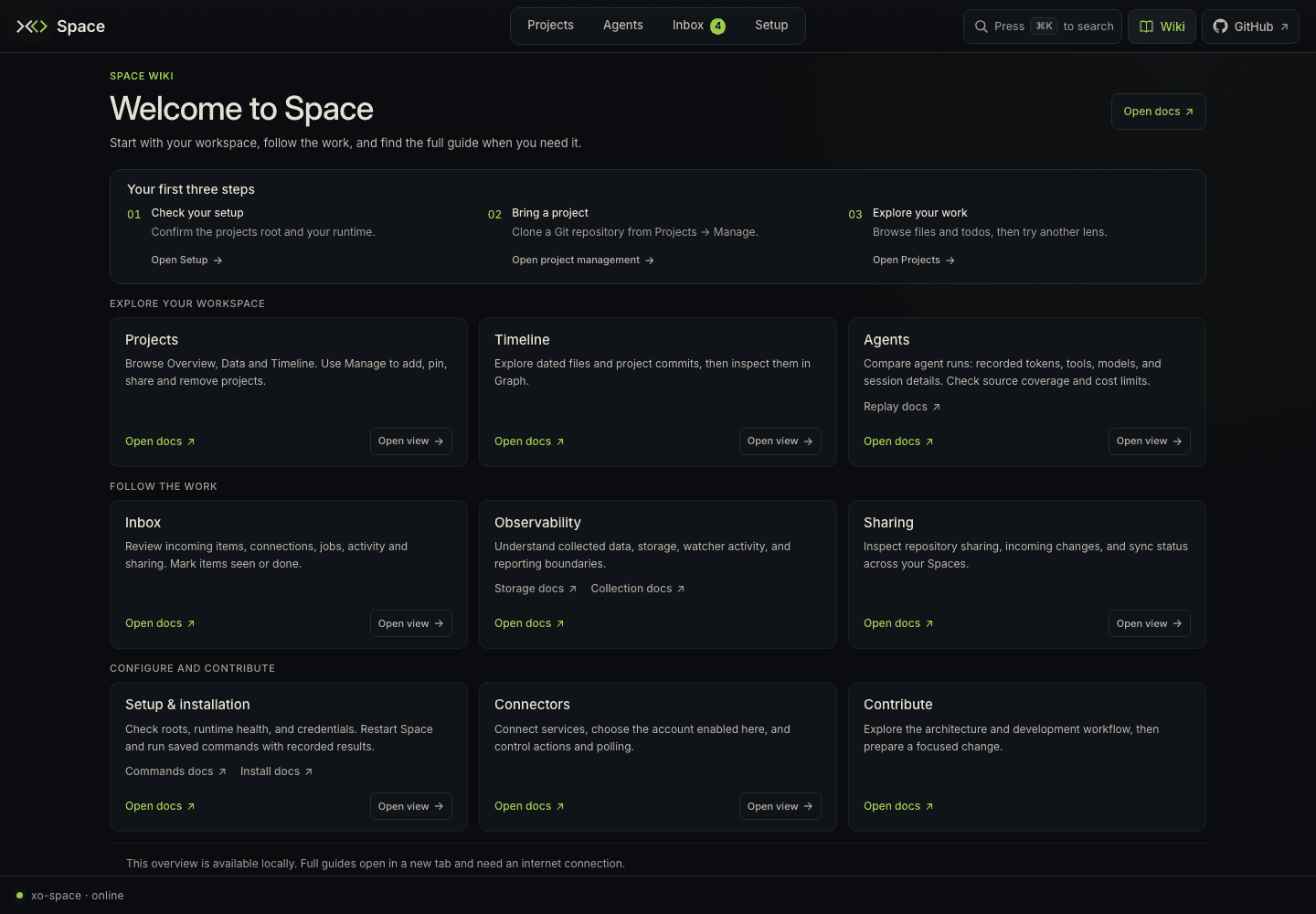
Wiki is a compact starting point for learning Space. Select Wiki at the
top right, beside GitHub, or use /space/#/wiki. It opens a local quick
start and topic directory in the same browser tab, with links to the full
guides.
Find a guide
Scroll the single page to find the topic you need. Each topic explains when to use that part of Space. Open docs opens its detailed guide on docs.quirq.ai in a new browser tab, keeping your workspace view available.
| Topic | Continue with |
|---|---|
| Projects | Overview, Data, Timeline, and project management |
| Timeline | Git history and timeline playback |
| Agents | Usage, tools and recorded prompts |
| Inbox | Items, connections, jobs, activity, and sharing |
| Observability | Data sources, storage and reporting |
| Sharing | Shared projects and incoming commits |
| Setup & installation | Workspace, intelligence layer, secrets, commands, and Server |
| Connectors | Accounts, agent actions and polling |
| Contribute | Development setup and contribution workflow |
Where a topic has Open view, that action takes you to the corresponding live view inside Space. The three-step quick start takes you through Check your setup, Bring a project using Projects → Manage, and Explore your work in Projects. The Setup topic also links directly to the saved commands guide.
The top-right Wiki link opens this directory from any view. Wiki is separate from the four primary tabs and has no numbered shortcut. GitHub beside it opens the Space source repository in a new tab.
Match guidance to the running app
The compact directory and its short summaries ship with the Space application. Detailed guides live on the documentation website and can be updated separately. Check the version notes in a guide when its controls or examples differ from your installed build. Older Space versions may still show a longer bundled manual instead of this directory.
The local Wiki overview remains available when Space is reachable without internet access; opening a full guide requires access to the documentation website. External documentation is not bundled for offline reading.
Use Setup for the roots and runtime configured on your machine, and the relevant live view for its current data and freshness timestamps. Paths shown in documentation are examples, not a reading of your installation's configuration.