Space UI Overview
Navigate Projects, Agents, Inbox, and Setup, use the command menu, and follow work from project files to activity.
Space brings your projects, runtime activity, incoming work, and workspace settings into one browser interface. Open http://localhost:5002/space/ after starting XO Space, or use your deployment's Space URL.
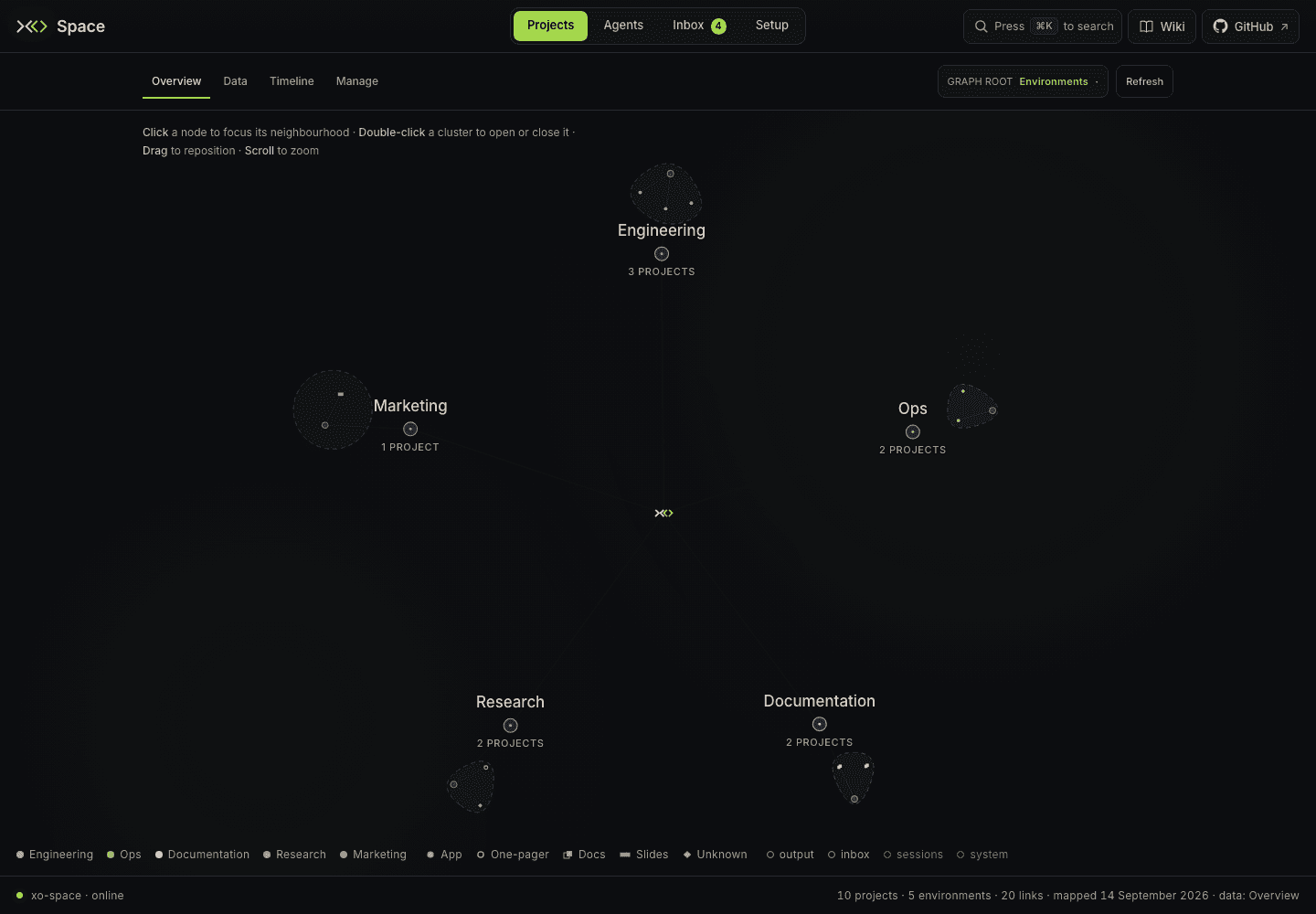
Version and screenshots
This guide follows xo-space development at 4b1a580 from September 15, 2026. Screenshots show the real UI with fictional workspace data. The public installer's release branch can differ; check your running version in Setup → Server.
Find the right tab
The primary tabs are Projects · Agents · Inbox · Setup. Press 1–4 to open them in that order. Shortcuts pause while an input, text area, or select has focus.
| Tab | Use it to | Default route after /space/ |
|---|---|---|
| Projects | Survey projects, browse files, compare Git history, and manage local projects | #/projects/overview |
| Agents | Inspect session usage, prompts, trends, and telemetry sources | #/agents/overview |
| Inbox | Handle incoming items, scheduled jobs, project activity, and sharing | #/inbox/items |
| Setup | Configure the workspace, intelligence layer, connectors, secrets, and server | #/setup/workspace |
Wiki sits at the top right beside GitHub. It opens the local quick start and topic directory at #/wiki. Open docs within Wiki opens a detailed guide in a new tab; GitHub opens the source repository. Keep the full URL when bookmarking, including any access query parameters your deployment requires.
Projects: Overview, Data, Timeline, Manage
Opening Space without a hash, clicking Projects, or pressing 1 opens Overview. The second navigation row contains four sections:
| Section | What it shows | Route |
|---|---|---|
| Overview | The dashboard map, purpose environments, and project todos | #/projects/overview |
| Data → List | Project rows and expandable file browsers | #/projects/data/list |
| Data → Graph | A spatial map of mapped projects and files | #/projects/data/graph |
| Data → Tree | A horizontal folder hierarchy | #/projects/data/tree |
| Timeline | Git commit days and first appearances of mapped files | #/projects/timeline |
| Manage | Clone projects, inspect metadata and issues, pin, share, and remove local projects | #/projects/manage |
Data contains the List | Graph | Tree switch and remembers the last Data view you visited. Sharing lives under Inbox. An open file preview stays visible while moving within Projects, including Timeline and Manage; leaving Projects closes it.
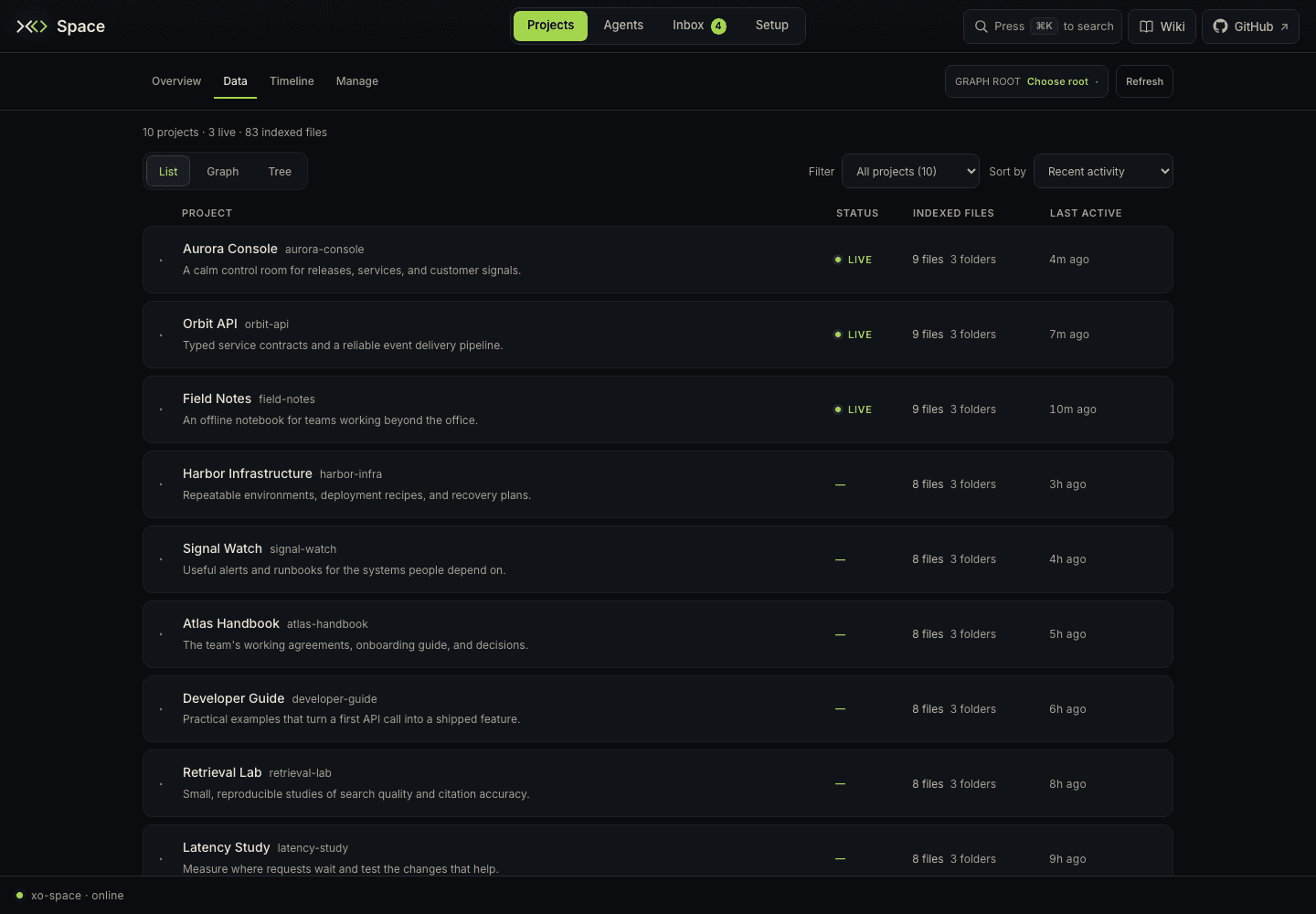
Old links such as #/dashboard, #/graph, #/tree, #/time, and #/sessions still resolve. New bookmarks should use the section routes above; #/projects opens Overview.
Search and quick actions
Click Press ⌘K to search, or press ⌘K on macOS / Ctrl+K elsewhere, to open the command menu. Type to find a page, a project by name or description, or an action. Use ↑ / ↓ to choose, Enter to open, and Esc to close.
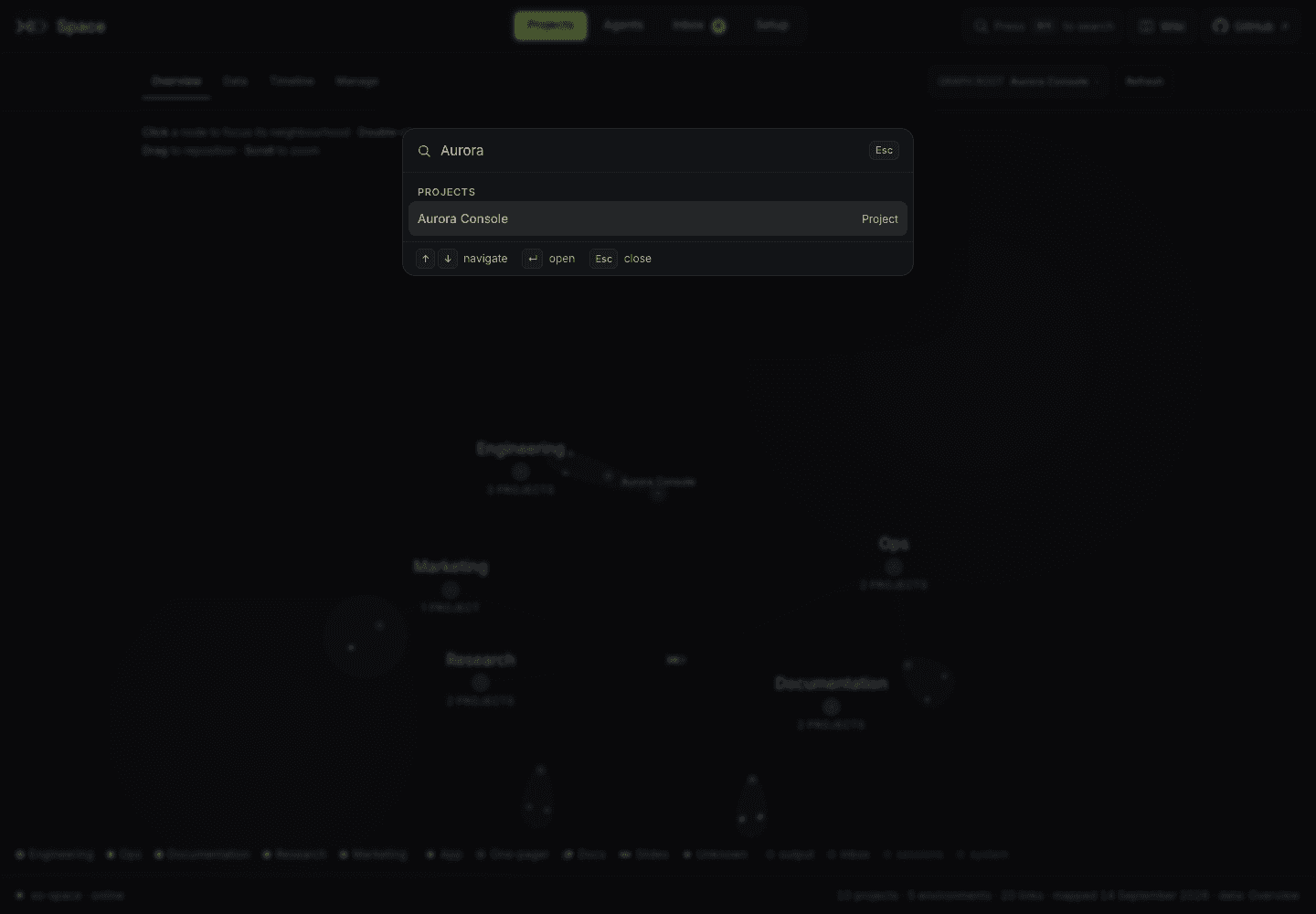
- Choosing a project opens its file drawer in Projects → Data → List.
- Refresh this page refreshes views that support it. Otherwise use the page’s own Refresh or Refresh status control.
- New project opens Projects → Manage, where Add project starts a clone.
- Copy link to this page copies the current URL.
On maps and pages that support search, / also opens the command menu. The navbar only shows a page's inline search field when it already has an active query. When that field is visible, the command menu can pass text to Search “…” on this page. Clear the field with its clear button or Esc. Page queries apply only to that page's loaded content; they are not a workspace-wide file-content search.
A useful first walkthrough
- In Setup → Workspace, confirm your projects folder. Review runtime and watcher coverage in Intelligence layer.
- Open Projects → Manage to clone a repository or inspect a discovered project. Pin projects you visit often.
- Open Projects → Data → List, expand a project, and read a file. Use Graph, Tree, or Timeline for another view of the workspace.
- Use a project's View activity action in Manage to open its todos, open sessions, and watcher events in Inbox → Activity.
- Open Agents for recorded usage and prompts. Continue running tasks in your runtime's own client or an API client.
- Handle incoming items in Inbox, and configure external app access in Setup → Connectors.
Understand empty or unavailable views
A project can have files without Git history, a watched runtime can lack aggregate telemetry, and an authorized connector can have polling disabled. Each guide explains its prerequisites and empty states.
Local project browsing does not require a connector account. Sharing and Connectors use external services and require their own configuration. The UI's bind address and authentication depend on how you run it; see installation.
For storage and runtime boundaries, read Observability and Auto-detection. For the separate replay tool, read Session replay.