Overview
Browse projects, follow agent activity, inspect sessions, and connect your workspace with XO Space.
XO Space is an open-source local server and browser interface for the projects and coding agents on your machine. It brings files, todos, git history, sessions, and costs into one workspace.
Space works with the agents you already use. It can send a prompt to a configured runtime through its API and read activity from supported native session stores. You can also keep working in your usual terminal or editor and use Space to inspect the results.
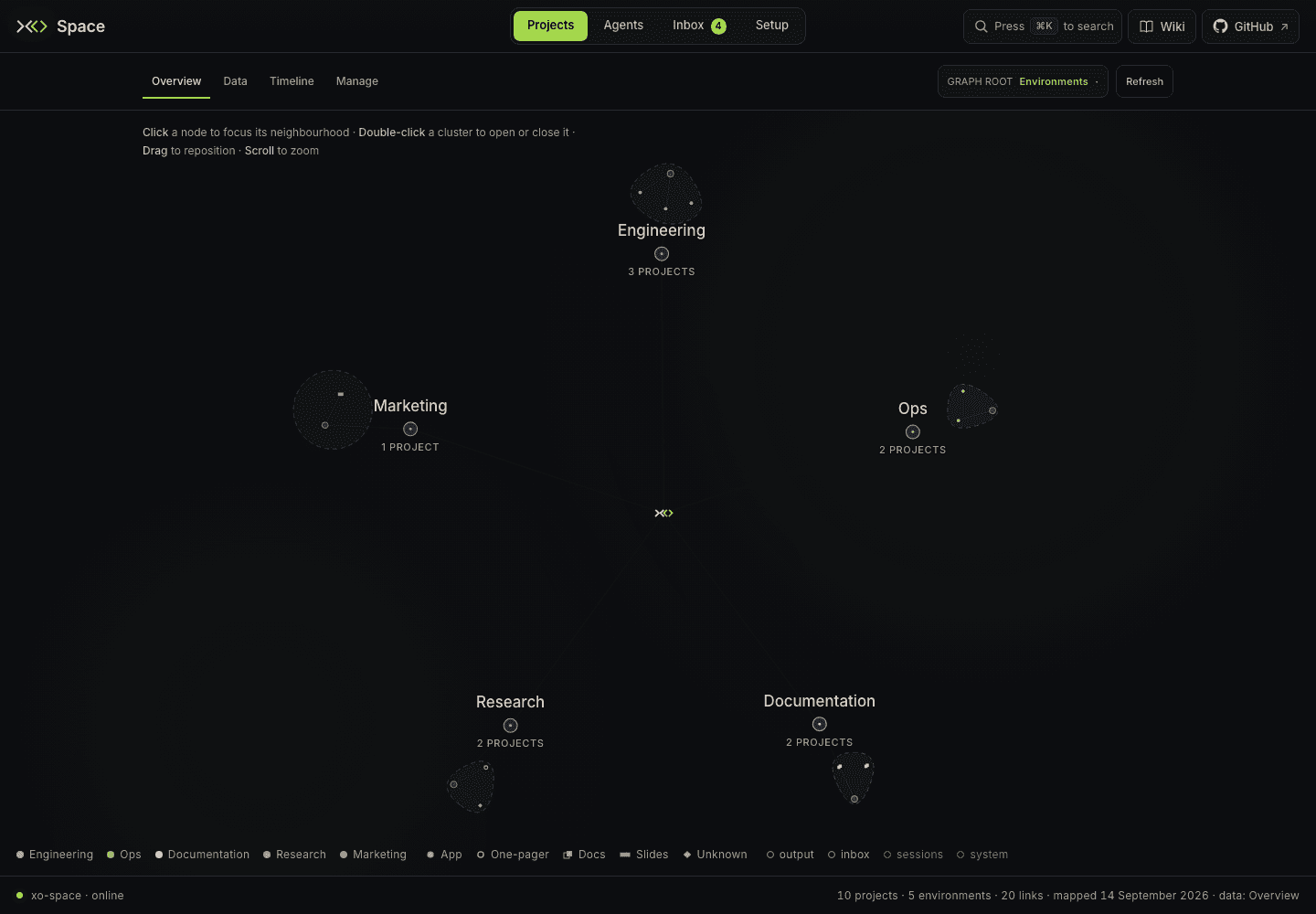
Screenshots in this section use fictional workspace data.
These guides follow xo-space revision 4b1a580
from September 15, 2026: the Projects and Agents redesigns, guided Setup,
command palette, scheduled jobs, and storage reorganization. The public
installer follows the release branch main, which can differ from this
development revision. See the UI guide and
installation options.
What you can do
| Area | Use it to |
|---|---|
| Projects | Start in Overview, browse Data through List/Graph/Tree, inspect Git dates in Timeline, and clone, share, pin, or remove repositories in Manage. |
| Agents | Compare available runtime telemetry in Overview, inspect Sessions, review model/tool/weekly Trends, and check sources in Configure. |
| Inbox | Review incoming Items, connection events, scheduled Jobs, project Activity, and Sharing activity. |
| Setup | Set Workspace roots and the Intelligence layer, connect apps, manage Secrets and Commands, and update or restart the Server. |
Space opens on Projects → Overview. The primary keyboard shortcuts are
Projects 1, Agents 2, Inbox 3, and Setup 4, when a form field is not
focused. Search, ⌘K on macOS, or Ctrl+K elsewhere opens the command
palette for pages and projects.
Wiki at the top right opens the local quick start and topic directory in the same tab. Its Open docs links open detailed guides in new tabs. GitHub beside Wiki opens the source repository in a new tab.
A project is a folder
Every eligible direct child folder of the configured XO projects root appears
as a project. Projects → Manage → Add project clones an existing Git
repository. Space creates missing canonical .xo/ records for cloned projects
and folders found by the watcher. Scaffolding a new project through the API also
adds operating documents and memory folders; an ordinary clone does not.
Space keeps three kinds of data separate:
- Your project: source files, documents, and portable
.xo/records such as project identity and todos. - Machine-local state:
.quirq/holds configuration, watcher state, project telemetry, workspace aggregates, and Inbox state. - Native agent stores: conversations remain in the runtime's own storage.
The first-run guide shows how to choose the root, create a project, and make its first piece of work visible.
Runtime support
Claude Code, Codex, OpenClaw, Hermes, and Antigravity have chat adapters and native session support. The active chat runtime is selected separately from the sources Space observes. Cursor contributes read-only session telemetry.
The Agents dashboard currently aggregates Claude Code, Codex, and Cursor telemetry. Coverage varies by source: a missing cost or token breakdown is shown as unavailable or estimated. See runtime discovery and observability for the distinction between chat, watcher activity, and the Agents dashboard.
Local or managed
Run Space on Linux or macOS, or inside WSL on Windows. The default local install binds to loopback, needs no XO account for local browsing, and runs while its server process is alive. Agent execution still needs the appropriate runtime and its authentication.
XO Managed Cloud provides a hosted Space. Available runtimes, credentials, integrations, and network access depend on that workspace's configuration; the shared server code does not make every deployment identical.
A signed-out local install sends no XO usage summary. Linking it with an XO credential enables a daily usage summary; sharing and connected services make additional network requests when configured. Read what is stored and reported.