Tree
Browse the mapped workspace as a horizontal hierarchy, with expandable folders and file previews.
Tree answers “what is in this project?” with a horizontal hierarchy. The workspace starts on the left, folders extend by depth, and each folder's files stack vertically beside it.
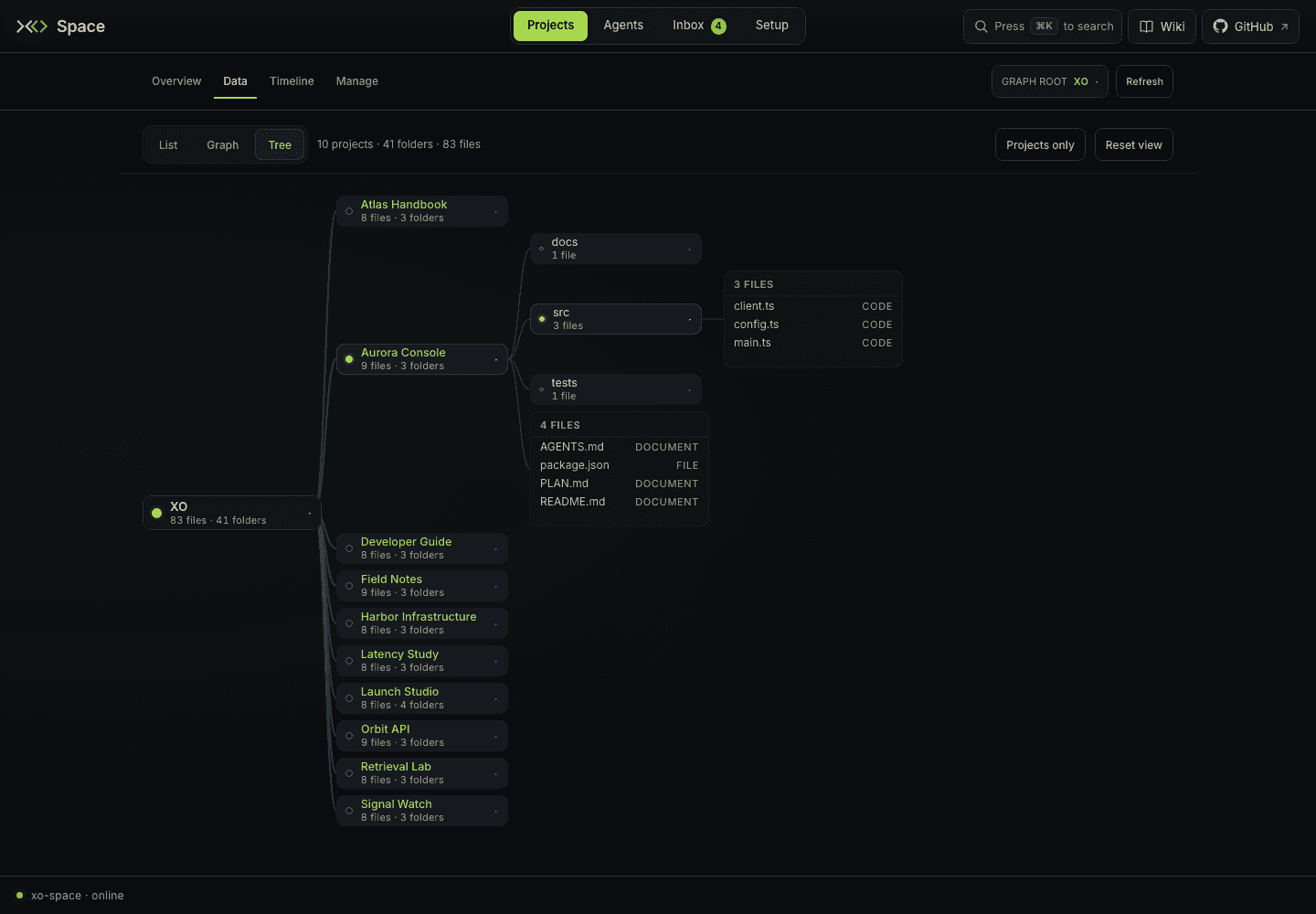
Open Projects → Data → Tree, or use /space/#/projects/data/tree. The older #/tree link also opens this view.
Browse the hierarchy
Click the workspace, project, or folder chips to expand and collapse their contents. Each chip shows its mapped file and folder counts. Thicker branches indicate larger subtrees.
A file card initially shows up to 12 files. Click +N more to expand the card and show fewer to collapse it again. Opening a branch keeps the selected chip anchored so the surrounding layout does not move your target out from under the pointer.
Click a file to open the shared file preview. The Tree's camera and expansion state stay in place. Close the preview to continue browsing, or use the List | Graph | Tree switch within Data to change views.
Controls
| Control | Effect |
|---|---|
| Active Filter tree by name… query | Matches names case-insensitively and reveals matching paths. A suffix such as .md works as ordinary name text. Clear the active query to return to the unfiltered tree. |
| Projects only | Collapses expanded project/folder branches to the workspace's project level and collapses expanded file cards. |
| Reset view | Resets the camera's position and zoom. It does not collapse the tree. |
| Refresh | Fetches the latest available workspace map again. |
| Drag | Pans the canvas. |
| Mouse wheel | Zooms around the pointer. |
The header's counts describe the mapped workspace. Project folders with no mapped files still appear, so an empty branch is not the same as a missing project.
Understand the coverage
Tree and Graph read the same derived workspace map at GET /xo/space.json. The scan has exclusions and bounds; this view is not a complete live filesystem browser. For folder-by-folder access to the project filesystem, use the List drawer.
Tree is a canvas you pan and zoom. Dragging changes your viewpoint only; it does not reorganize project files.