Projects Data & File Preview
Browse project files with List, Graph, and Tree, filter live or pinned projects, and preview current or historical files.
Projects → Data → List gives each project a row with its indexed file count, live status, and recent activity. Expand a row to browse its folders and files.
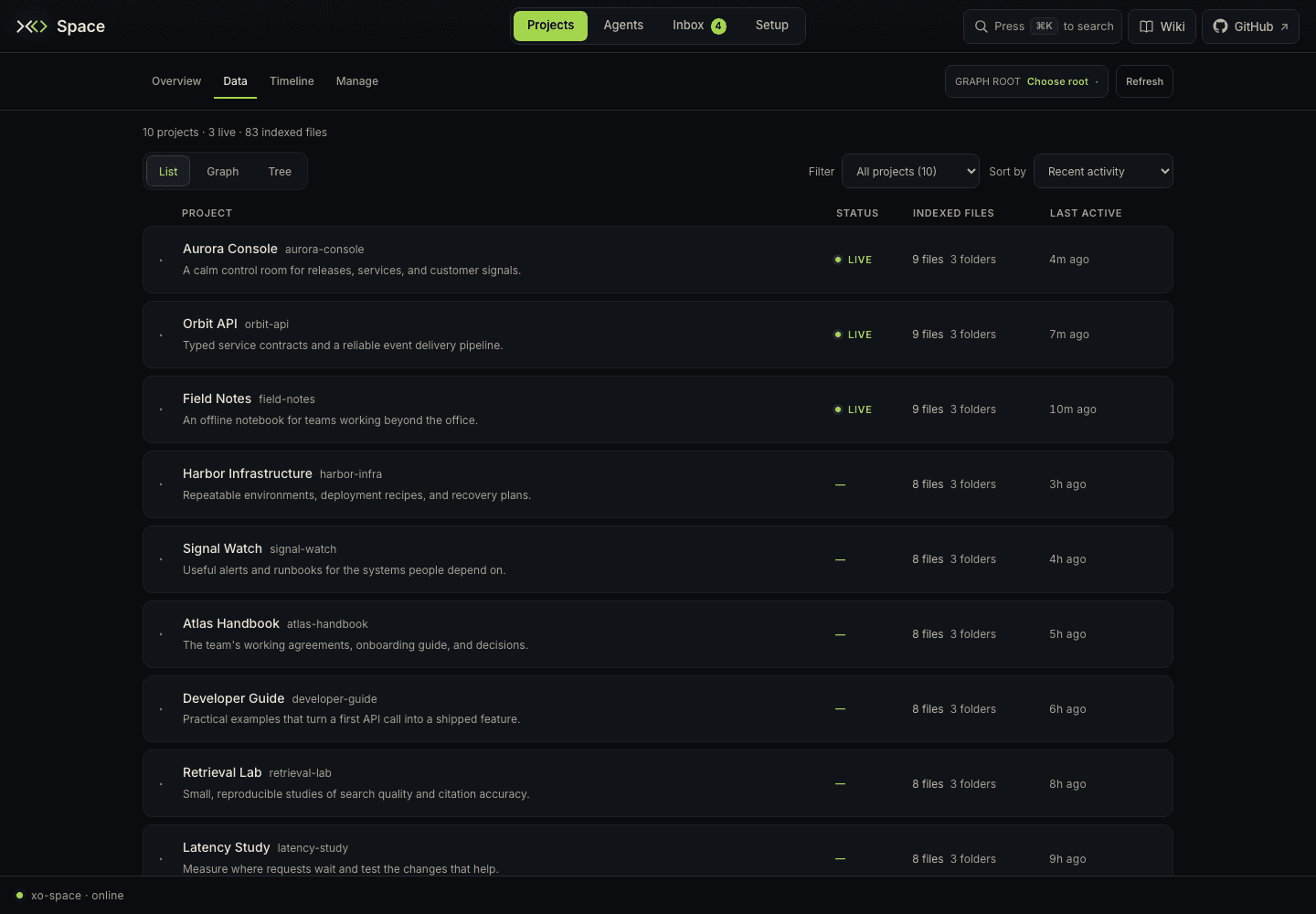
Open /space/#/projects/data/list. Data offers List | Graph | Tree and remembers the last view you visited. Clicking the primary Projects tab opens Overview.
Find a project
Use Filter to choose All projects, Live, or Pinned. Pins are set in Manage and saved in this browser. Sort by offers Recent activity (the default), Name, Indexed files, and Newest created.
The command menu can find a project by name or description and open its drawer directly. An active Filter projects… query matches folder IDs, display names, and descriptions; clear it to restore all matches.
A Folder badge means Space found the directory without canonical project metadata. Indexed counts describe the bounded workspace index: Not indexed means no count is available, and a trailing + marks a partial count. They are not a complete recursive filesystem count.
Live means an open agent session was reported for the project. Last active uses reported session activity or recent normalized watcher events. Not recorded means neither provides a timestamp; Unavailable means that activity source could not be read.
Open the project drawer
Click a project row to expand the Files drawer beneath it. Click again to collapse it, or select another project.
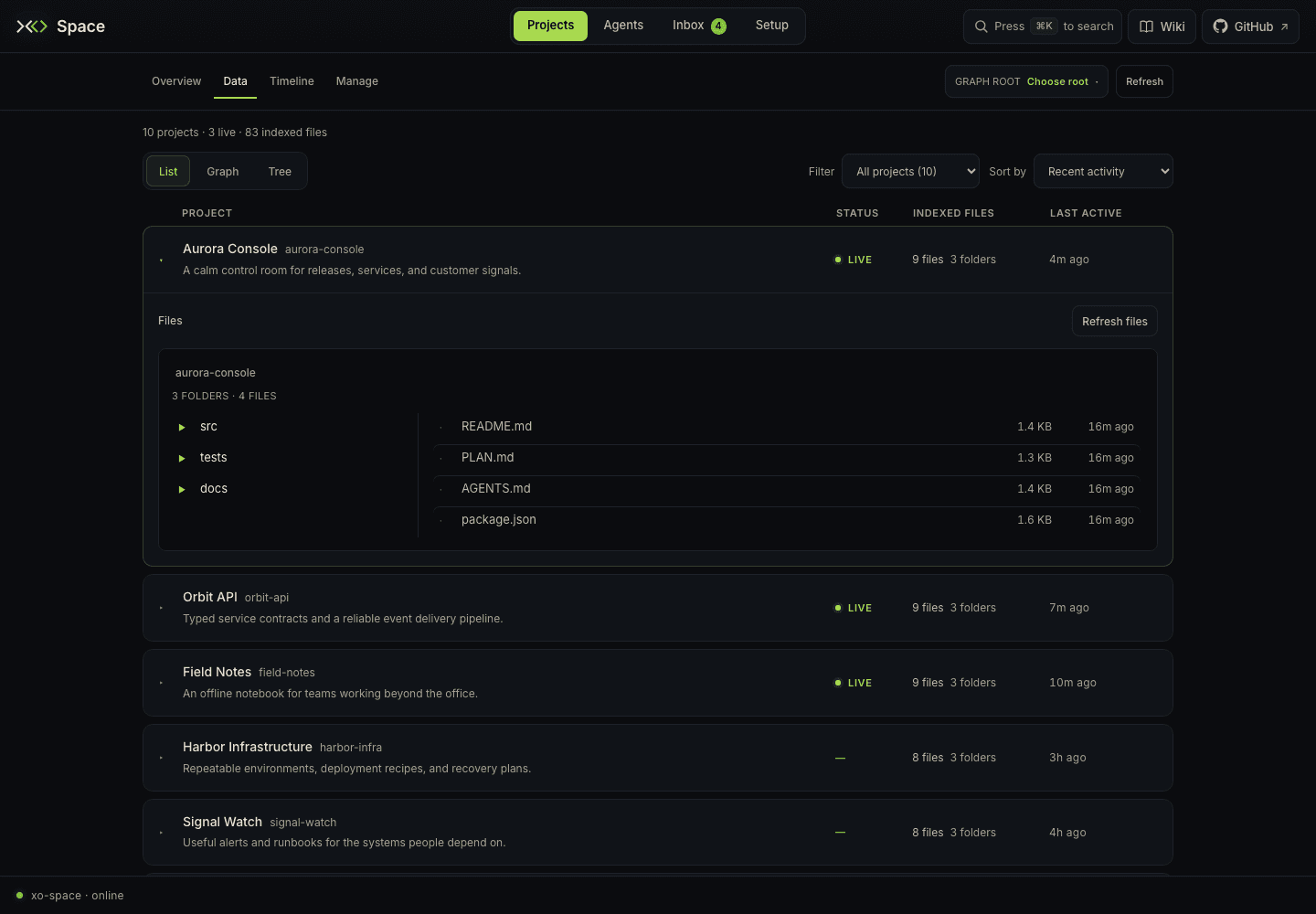
Folders appear on the left and files on the right. Click a folder, the .. row, or a breadcrumb to navigate. File rows show sizes and modified times. Space remembers the current folder for each project while the page remains open; filtering, sorting, and closing the drawer preserve its browsing state. Refresh files rereads the open folder.
Project metadata and GitHub issues are in Projects → Manage. Its View activity action opens project todos, open sessions, and recent events in Inbox → Activity. Historical aggregate session telemetry is in Agents → Sessions.
Preview a file
Click a file in the drawer or Tree, or choose Preview file from a Graph file's detail panel. A single floating window opens above the current view; opening another file replaces it.
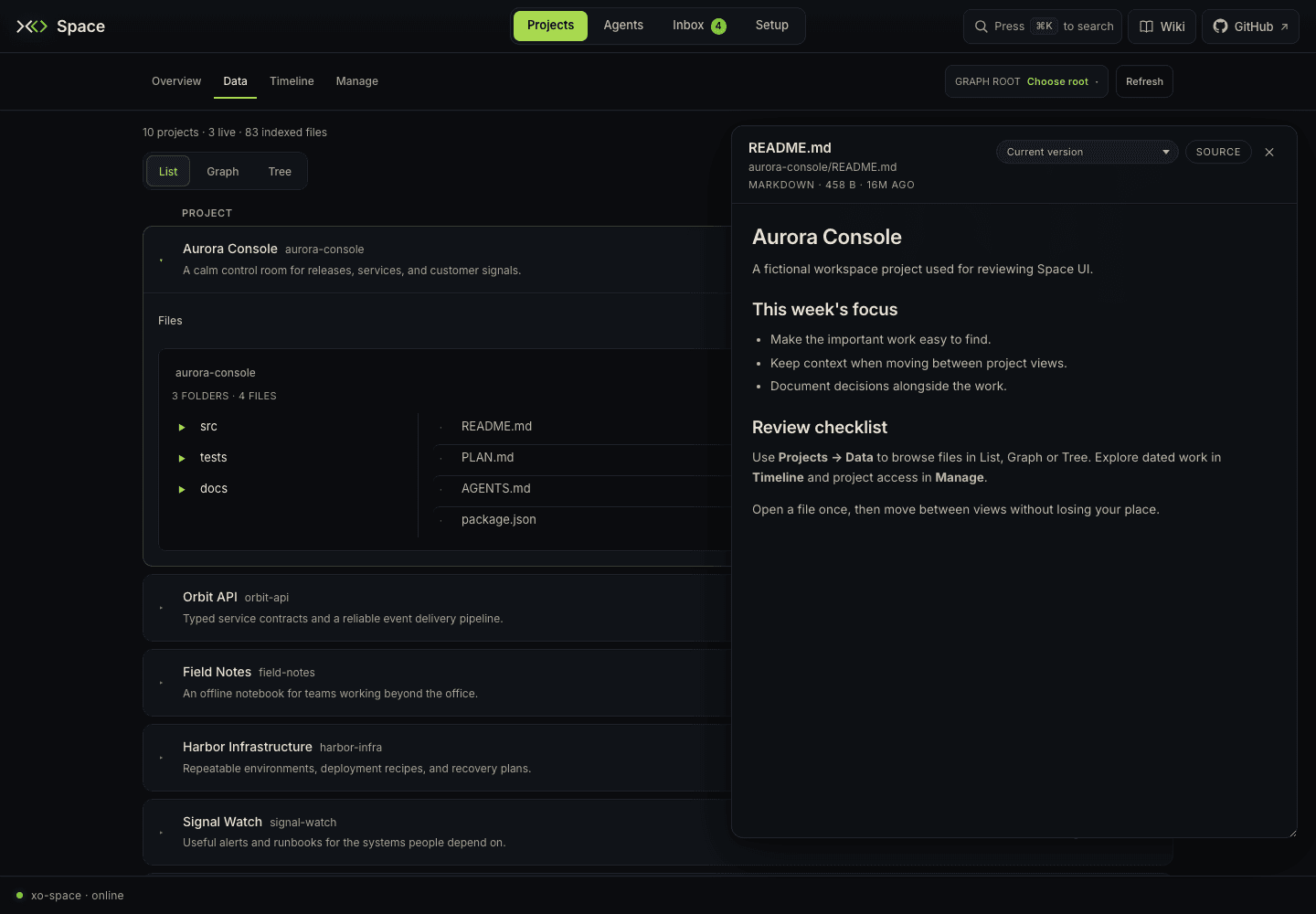
- Drag its header to move it and resize its corner on desktop. The underlying view keeps its place.
- Markdown renders as formatted text; HTML renders in an isolated iframe; other supported text formats display as escaped source.
- Source shows raw text. The button changes to Rendered to switch back.
- When Git history is available, choose a commit in the version selector to read the file as it existed then. Current version returns to the working tree. This does not check out or modify the project.
- The header shows the path, file kind, size, relative date, and historical commit when selected.
- The close button or Esc closes the preview.
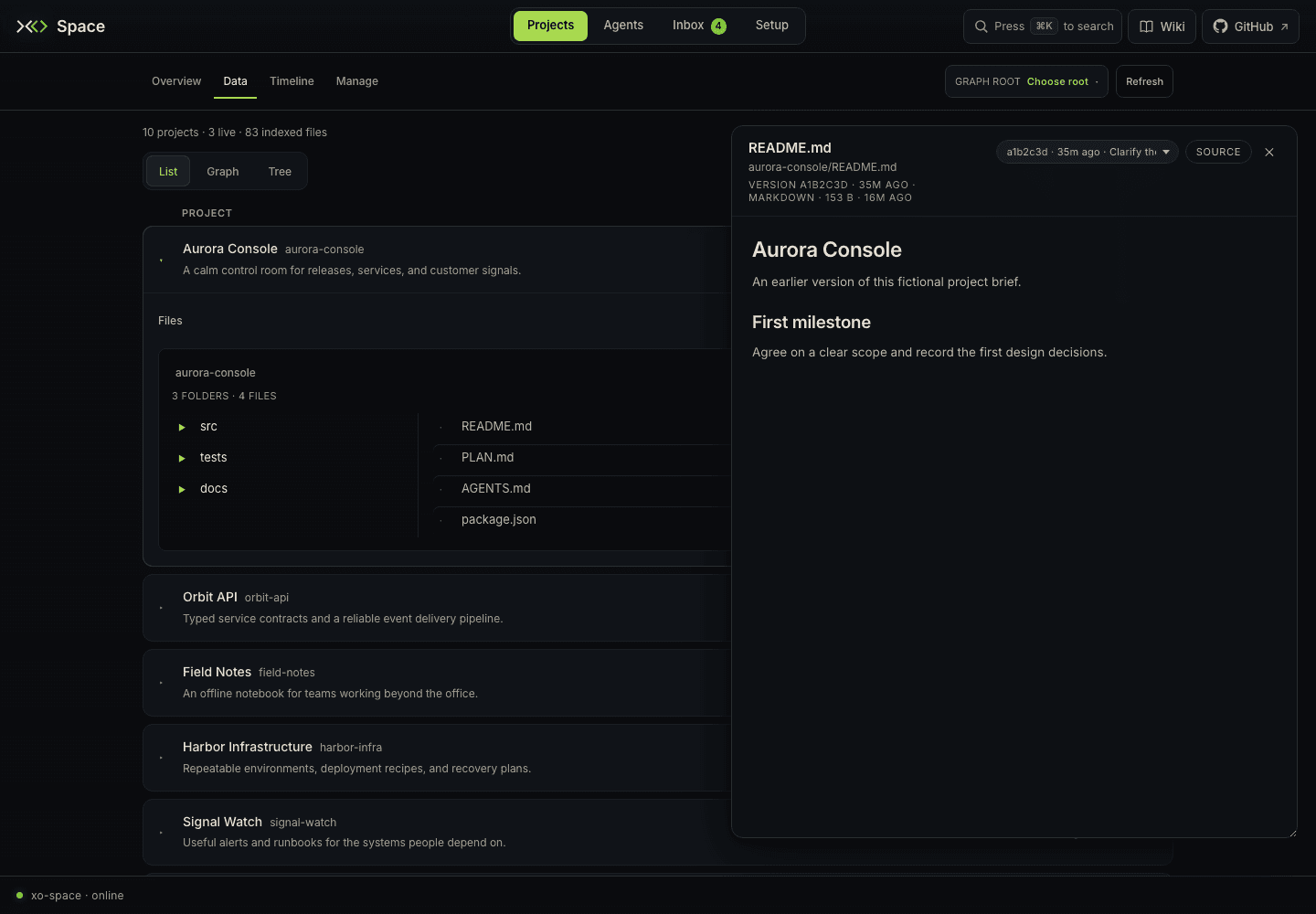
The preview stays mounted while switching between Overview, Data, Timeline, and Manage, retaining its file, version, Source mode, size, and position. Moving to Agents, Inbox (including Sharing), Setup, or Wiki closes it. If a restored version is absent from the refreshed history, the preview falls back to the current file.
Preview is a reader. Text is capped at 256 KB and unsupported file types show a notice. HTML can run scripts inside its sandbox but cannot access the Space document through the same origin. Preview does not edit or restore file contents.
Empty and unavailable states
No projects yet means the configured projects folder has no discoverable projects. Manage projects opens the clone and management page; Getting started opens Wiki. A filter with no matches is a separate state: use Show all projects before changing the workspace root.
The project catalog, file index, and activity sources load independently. A failed activity read does not hide files. Refresh rereads the page's available data; Refresh files updates an expanded folder. For sharing access and incoming commits, open Inbox → Sharing.