
Connect Claude
Authenticate XO agents with a Claude account via OAuth.
Connect your Claude account to an XO agent via OAuth — no API key required. This flow is shared across any agent that exposes a Connect Claude button (Claude Code, future agents).
What You'll Need
- An XO project that has finished provisioning
- A Claude account (Pro, Team, or Enterprise — any plan that grants Claude API access)
Connect Your Claude Account
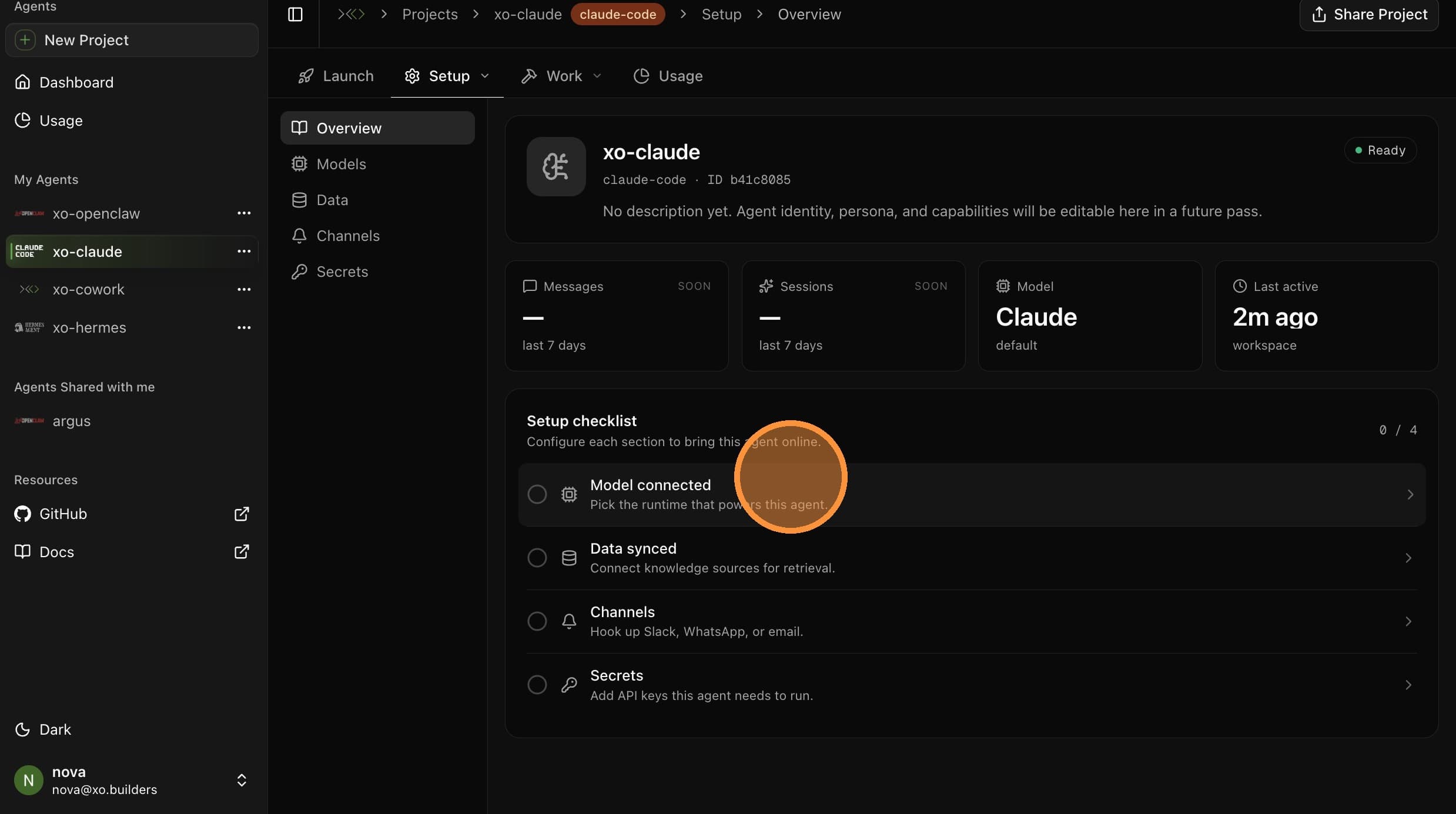
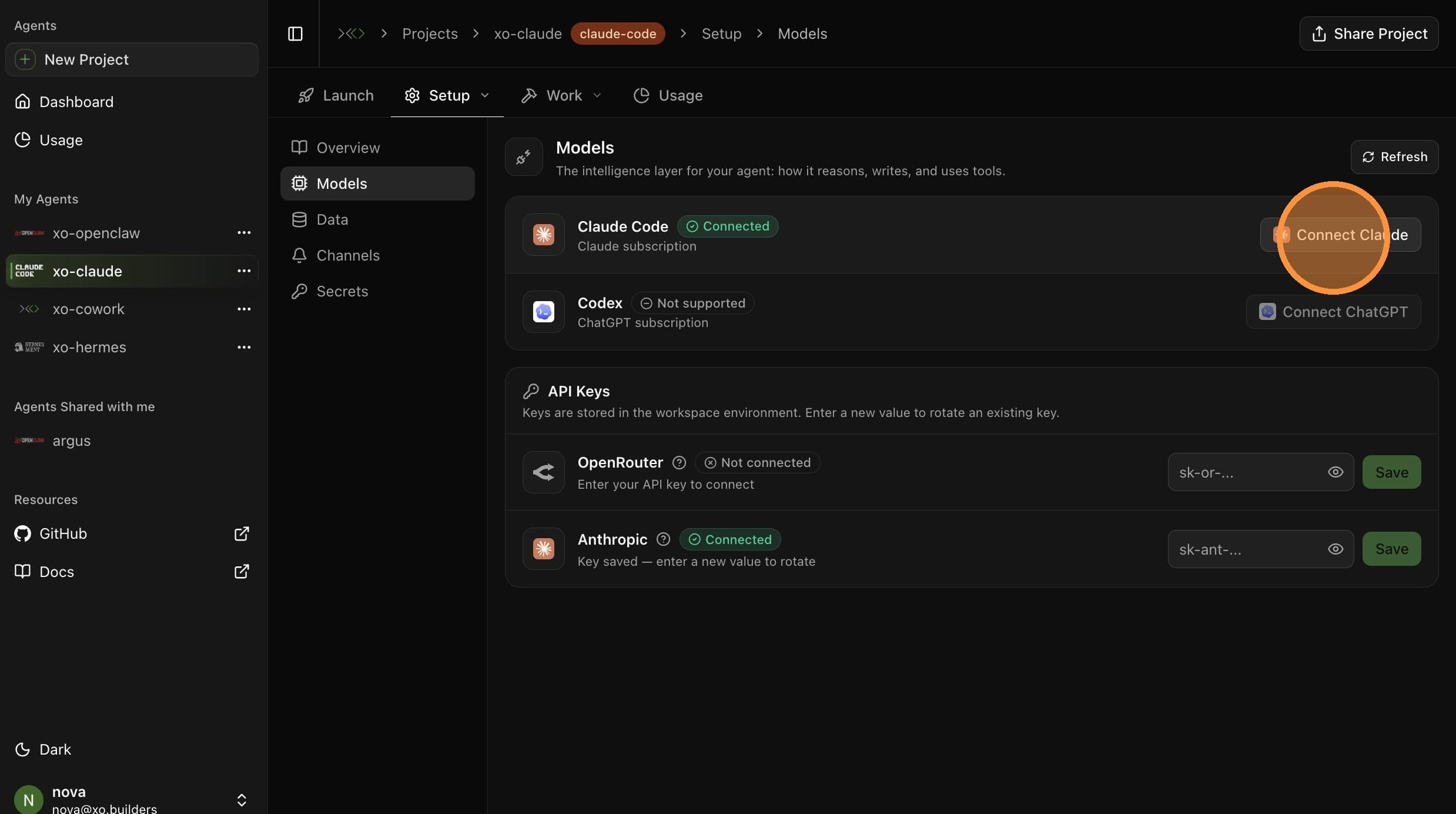
Open Setup → Models
From your project page, open the Setup tab in the top sub-navigation, then select Models. Find the Claude Code row.
Open the Sign-in Page
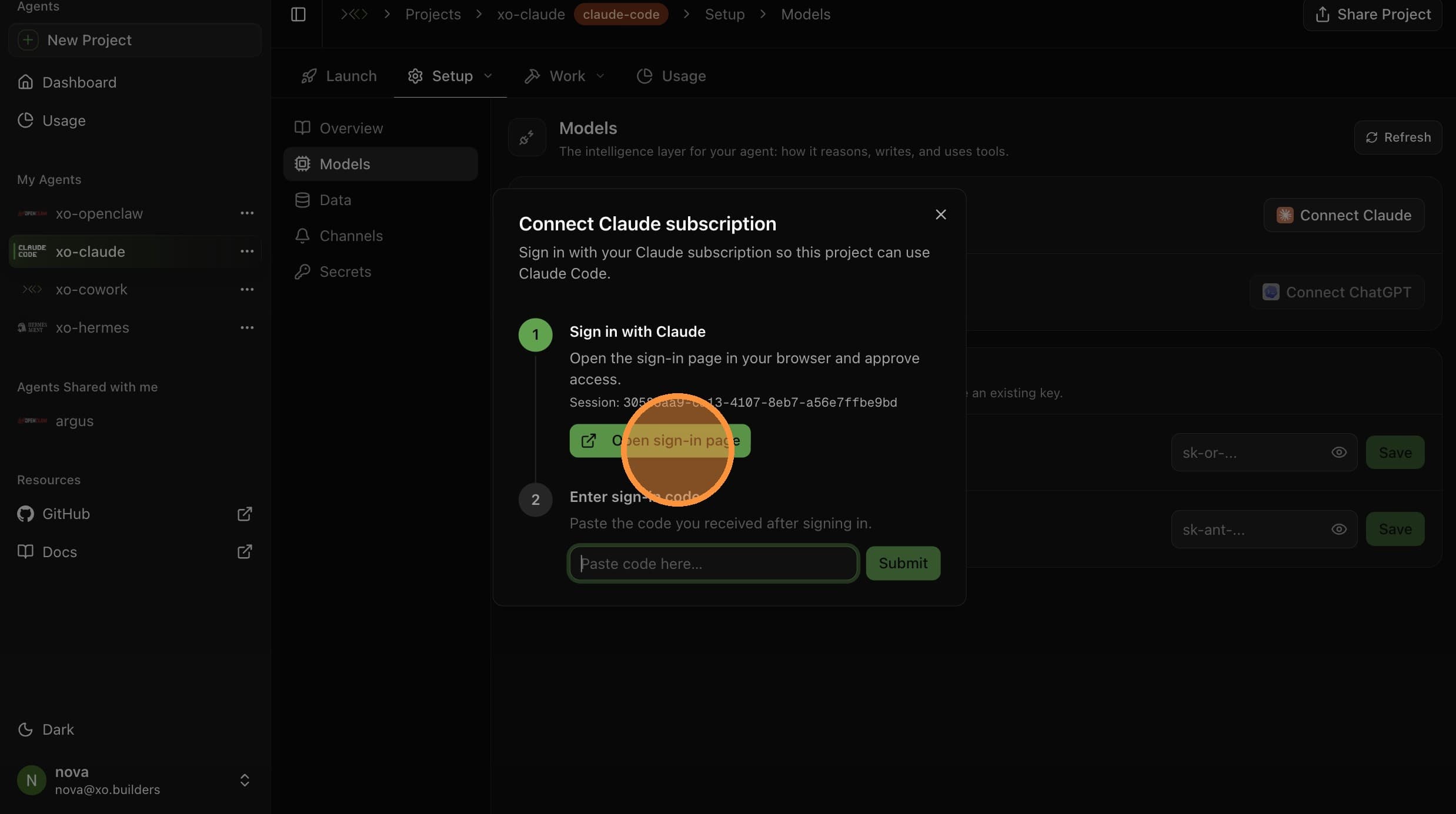
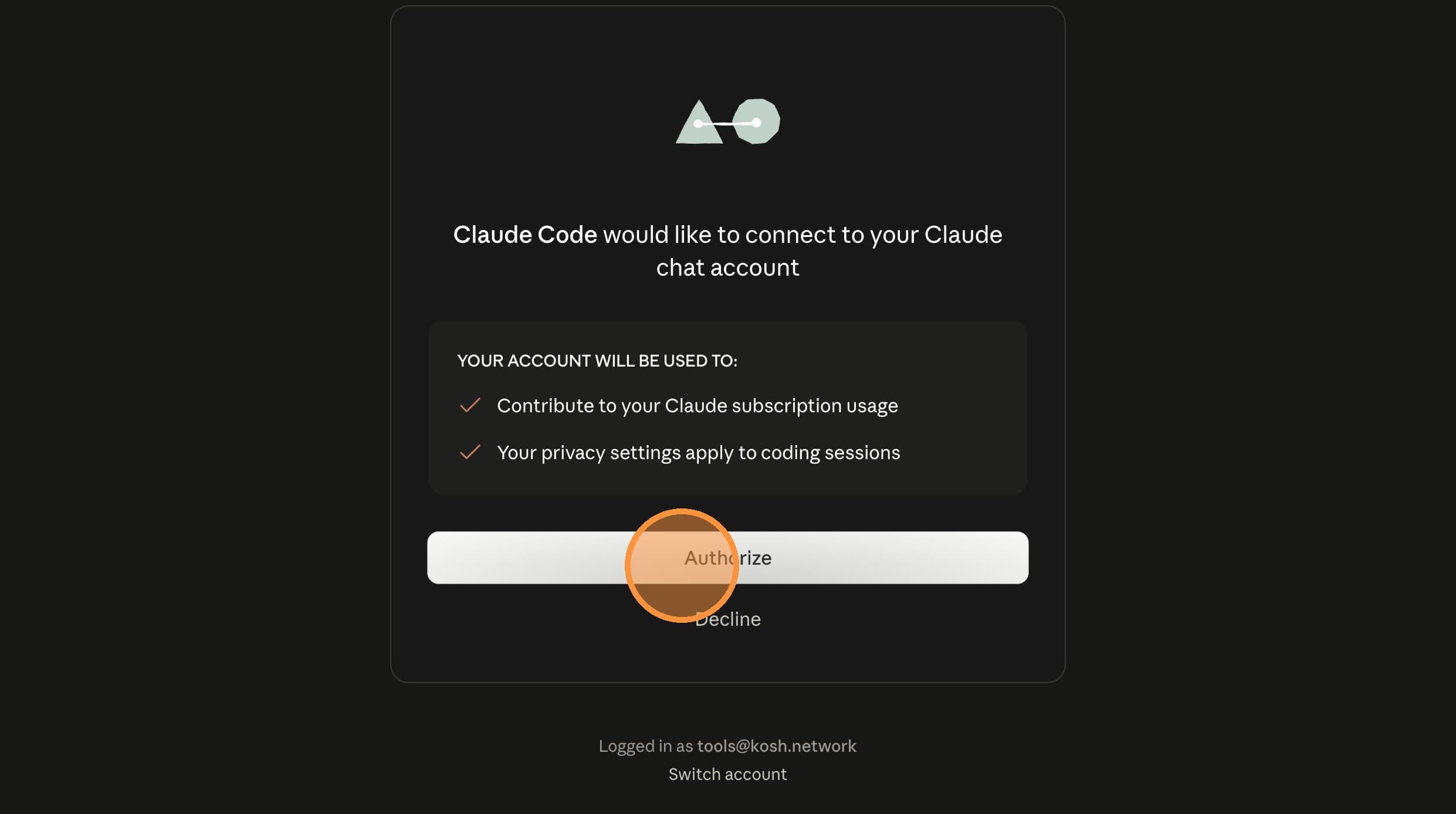

In the Connect Claude modal, click Open sign-in page. A new browser tab opens with the Claude sign-in.
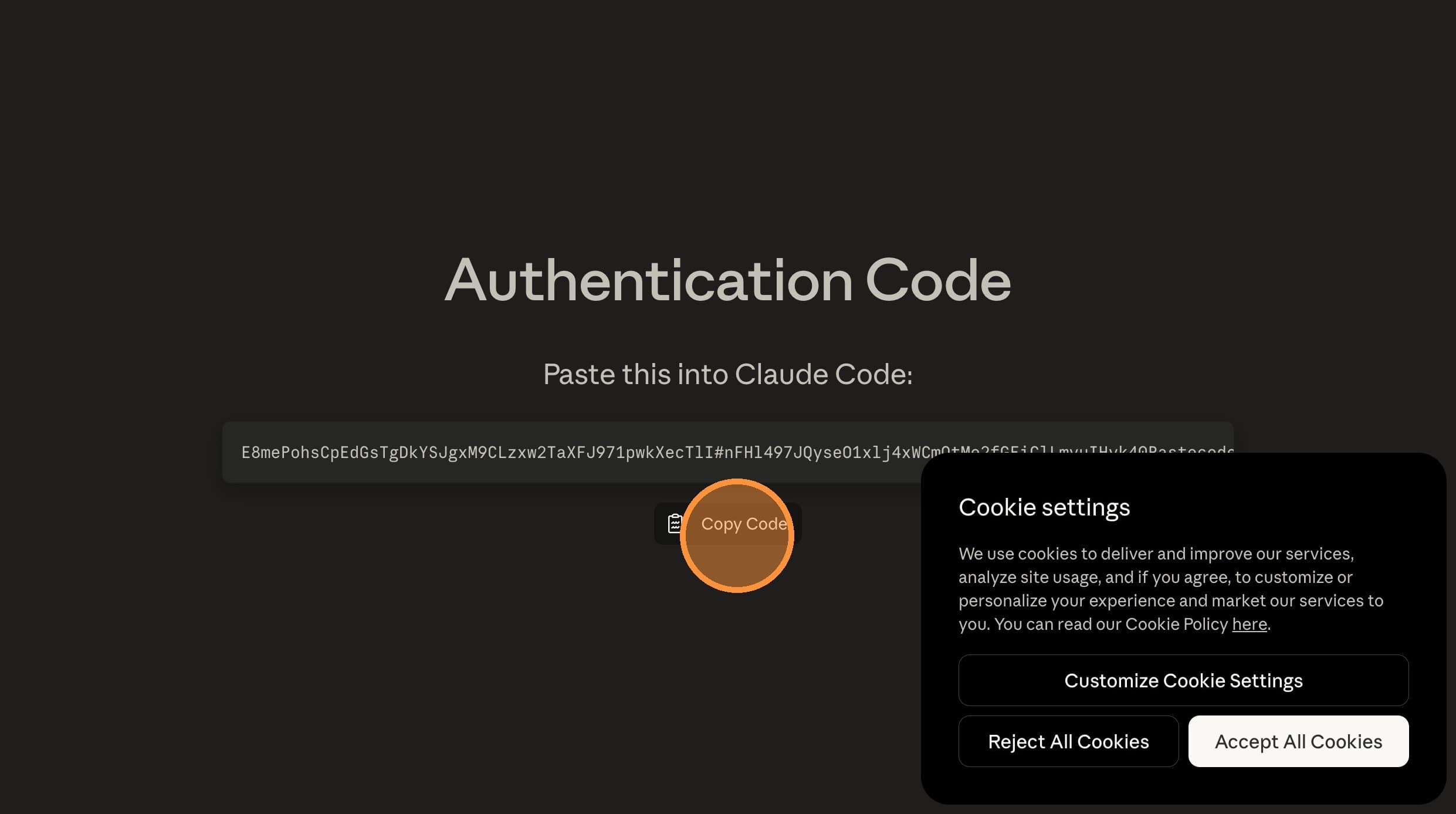
Paste and Submit
Switch back to the XO tab. Paste the code into the Enter sign-in code field and click Submit.
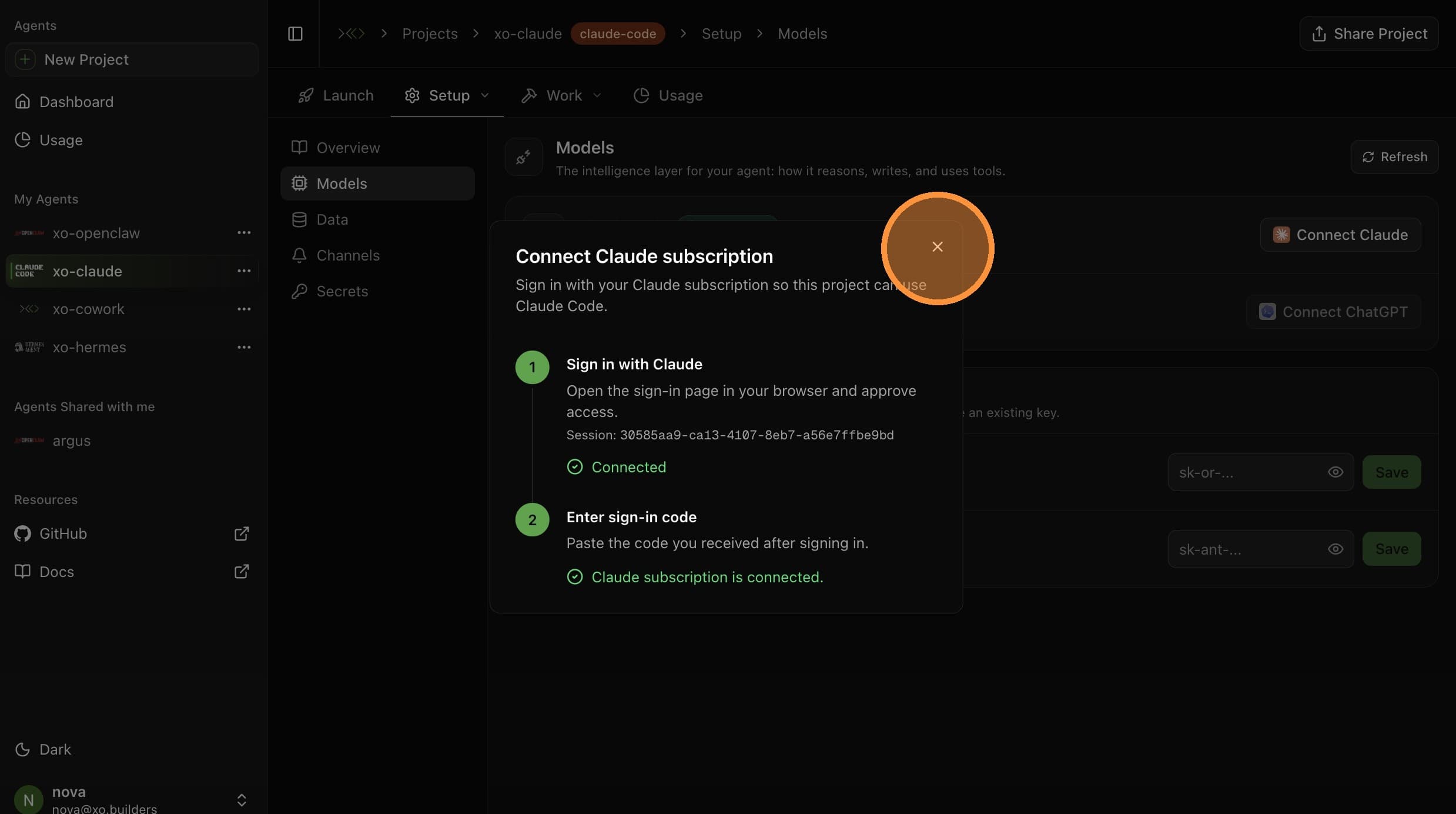
Your Claude account is now connected. Your agent will use it for all model calls.