Connect Slack
Create a Slack app and connect it to your OpenClaw agent in under 5 minutes.
What You'll Need
- A deployed OpenClaw agent
- Admin access to the Slack workspace you want to connect
Create the Slack App
Create from Manifest
Go to api.slack.com/apps and click Create New App. Choose From a manifest, then select your target workspace.
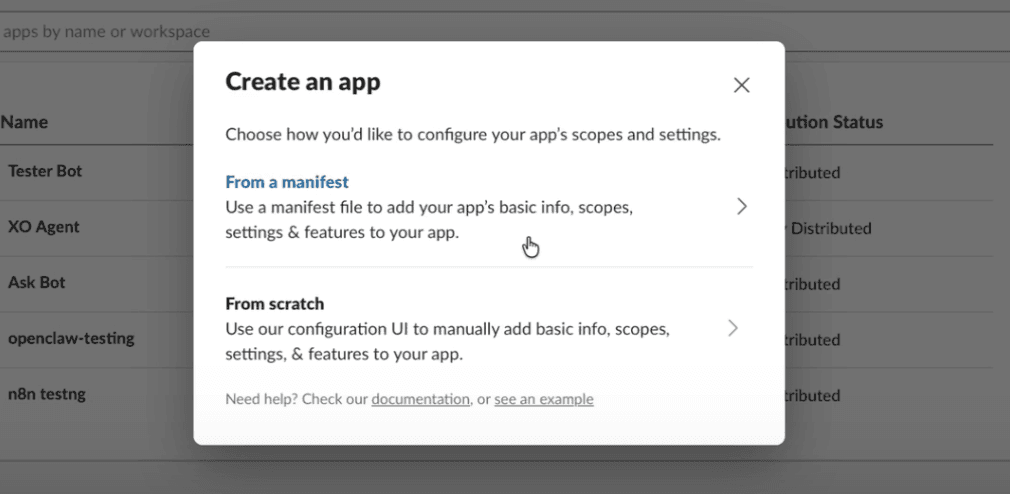
Paste the following manifest:
{
  "display_information": {
    "name": "OpenClaw",
    "description": "Slack connector for OpenClaw"
  },
  "features": {
    "bot_user": {
      "display_name": "OpenClaw",
      "always_online": false
    },
    "app_home": {
      "messages_tab_enabled": true,
      "messages_tab_read_only_enabled": false
    },
    "slash_commands": [
      {
        "command": "/openclaw",
        "description": "Send a message to OpenClaw",
        "should_escape": false
      }
    ]
  },
  "oauth_config": {
    "scopes": {
      "bot": [
        "chat:write",
        "channels:history",
        "channels:read",
        "groups:history",
        "im:history",
        "im:write",
        "mpim:history",
        "users:read",
        "app_mentions:read",
        "assistant:write",
        "reactions:read",
        "reactions:write",
        "pins:read",
        "pins:write",
        "emoji:read",
        "commands",
        "files:read",
        "files:write"
      ]
    }
  },
  "settings": {
    "socket_mode_enabled": true,
    "event_subscriptions": {
      "bot_events": [
        "app_mention",
        "message.channels",
        "message.groups",
        "message.im",
        "message.mpim",
        "reaction_added",
        "reaction_removed",
        "member_joined_channel",
        "member_left_channel",
        "channel_rename",
        "pin_added",
        "pin_removed"
      ]
    }
  }
}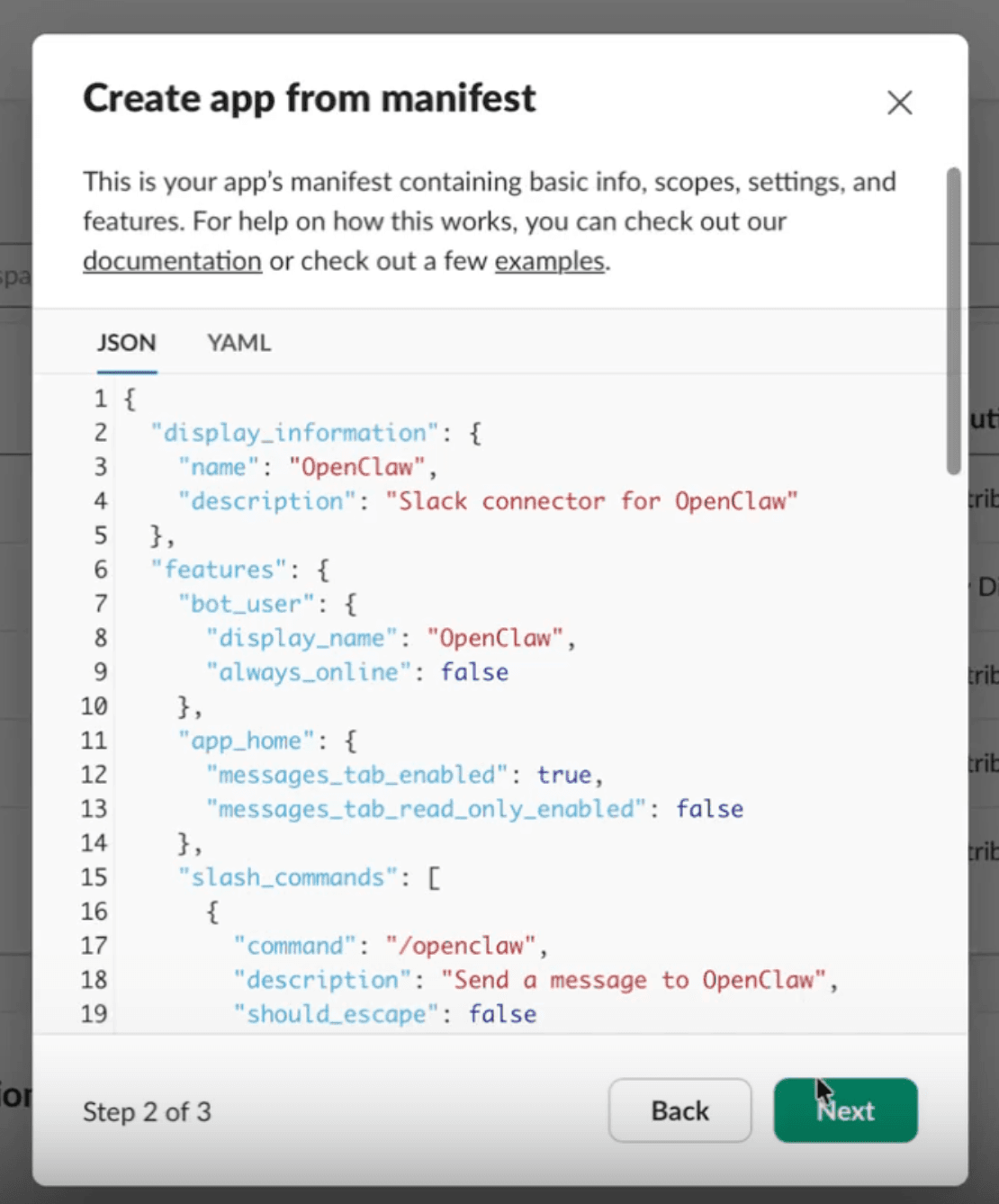
Click Next, then Create. Slack validates the manifest and creates the app.
Install to Your Workspace
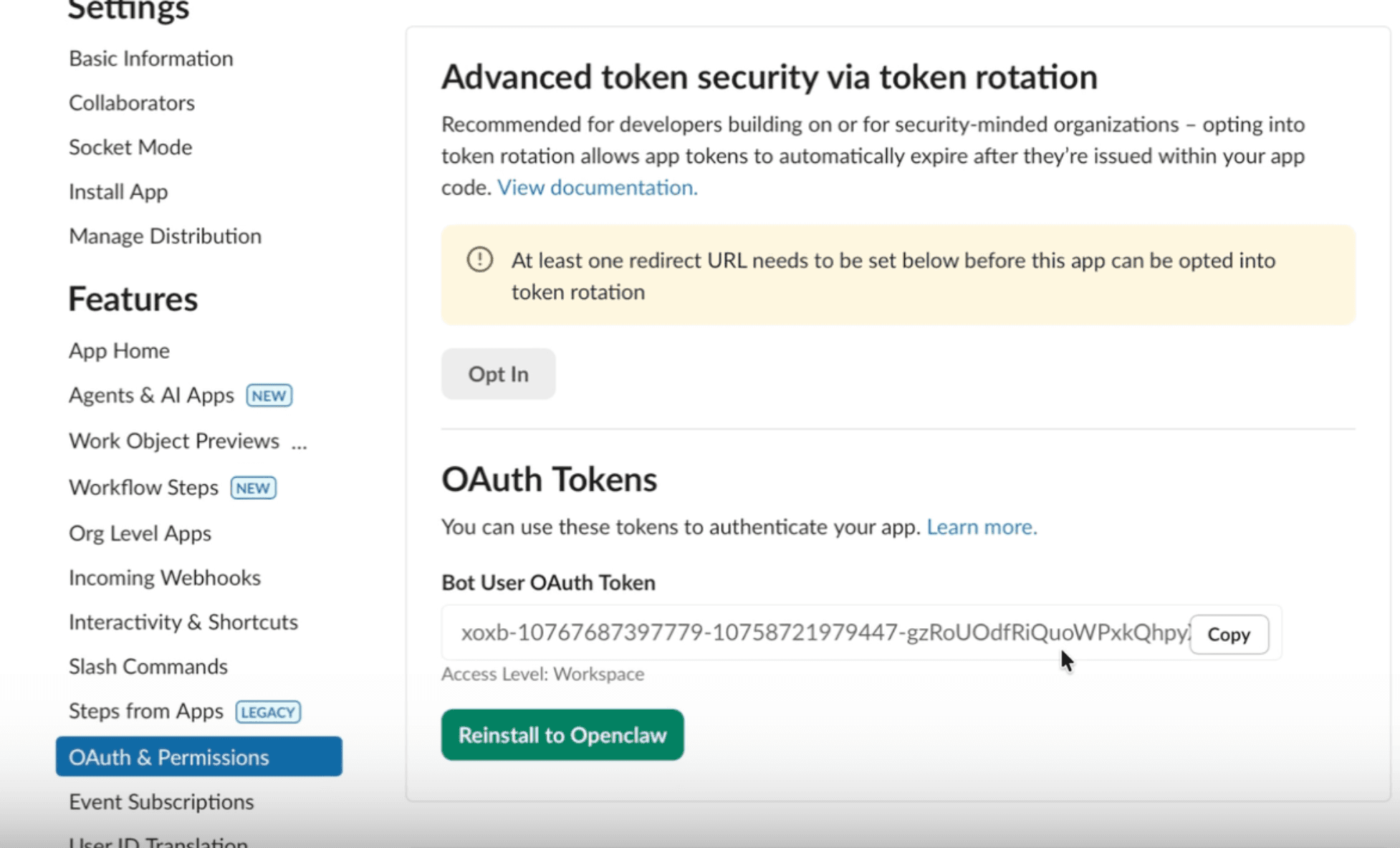
In the left sidebar, go to OAuth & Permissions. Click Install to <your workspace>.
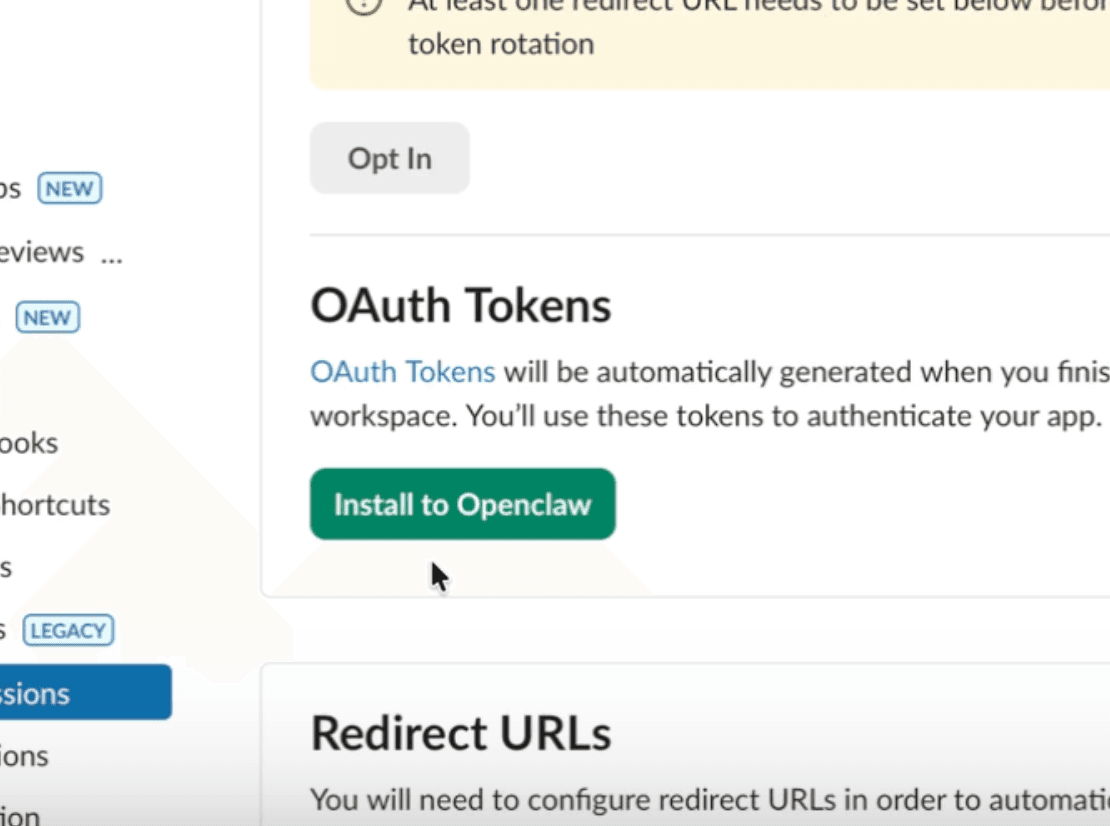
Approve the permissions.
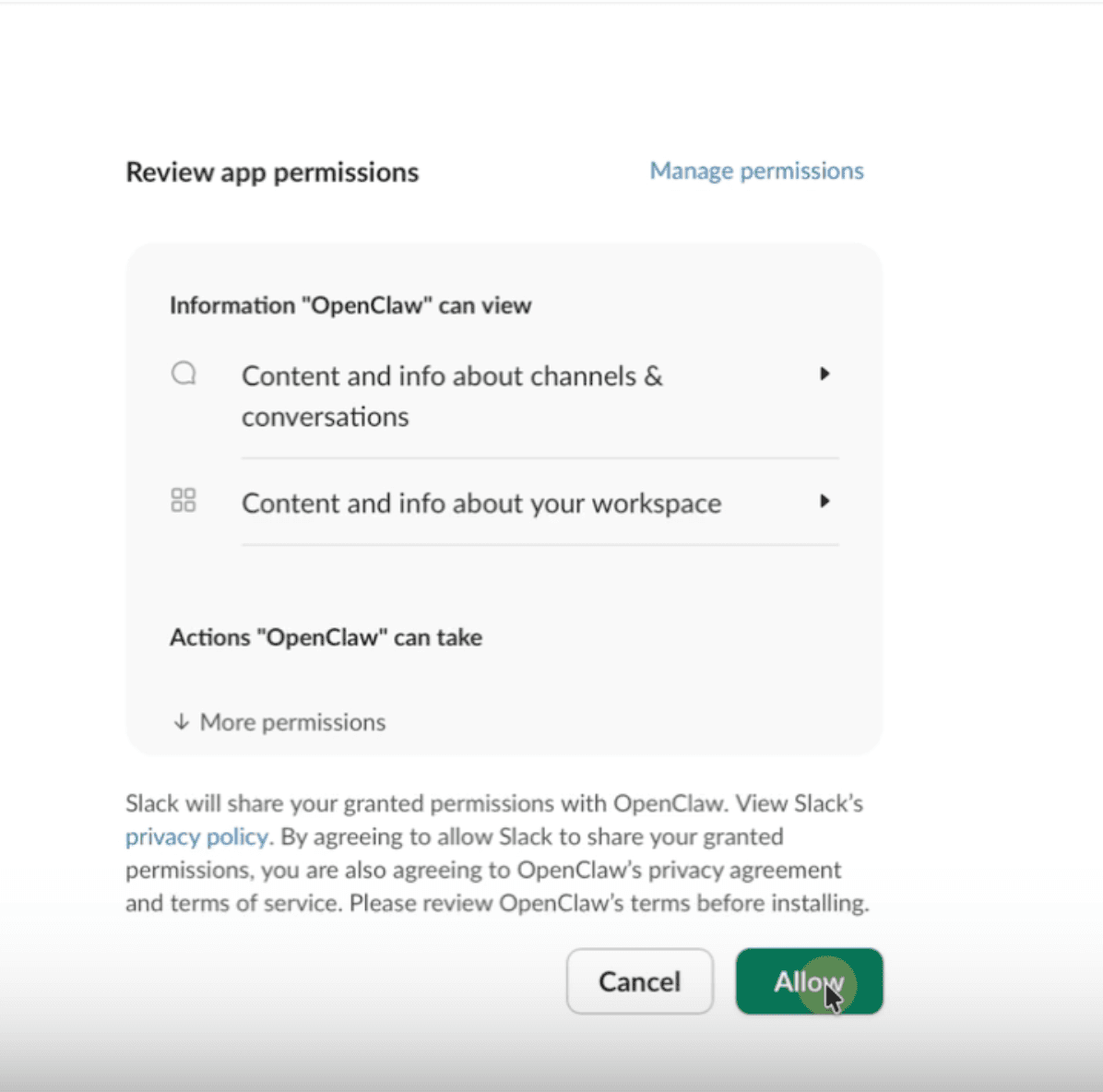
Copy the Bot User OAuth Token — it starts with xoxb-.
Generate the App-Level Token
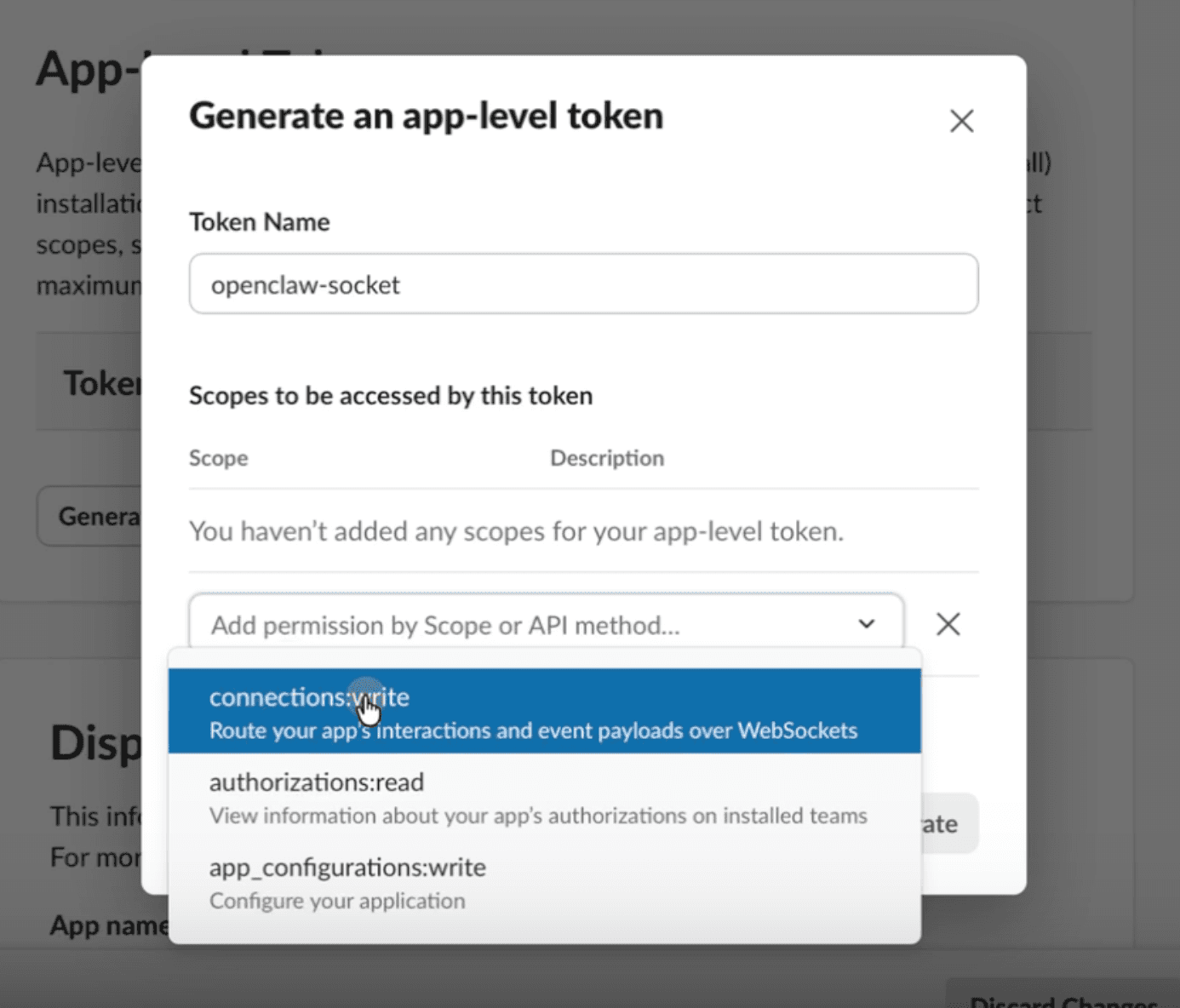
In the left sidebar, go to Basic Information. Scroll to App-Level Tokens and click Generate Token and Scopes.
| Field | Value |
|---|---|
| Token Name | openclaw-socket-token (or any name) |
| Scope | connections:write |
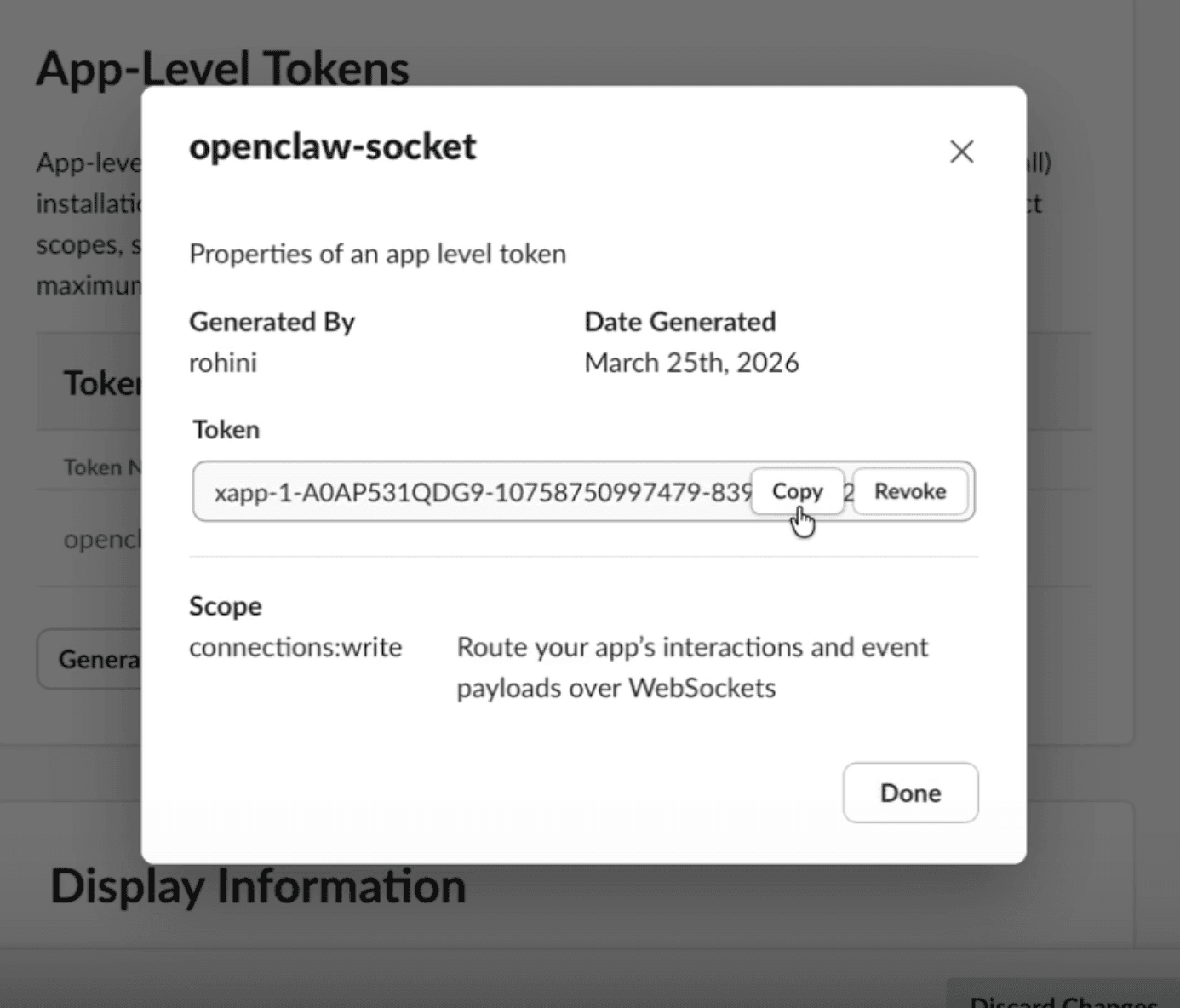
Click Generate and copy the App-Level Token — it starts with xapp-.
Connect in OpenClaw
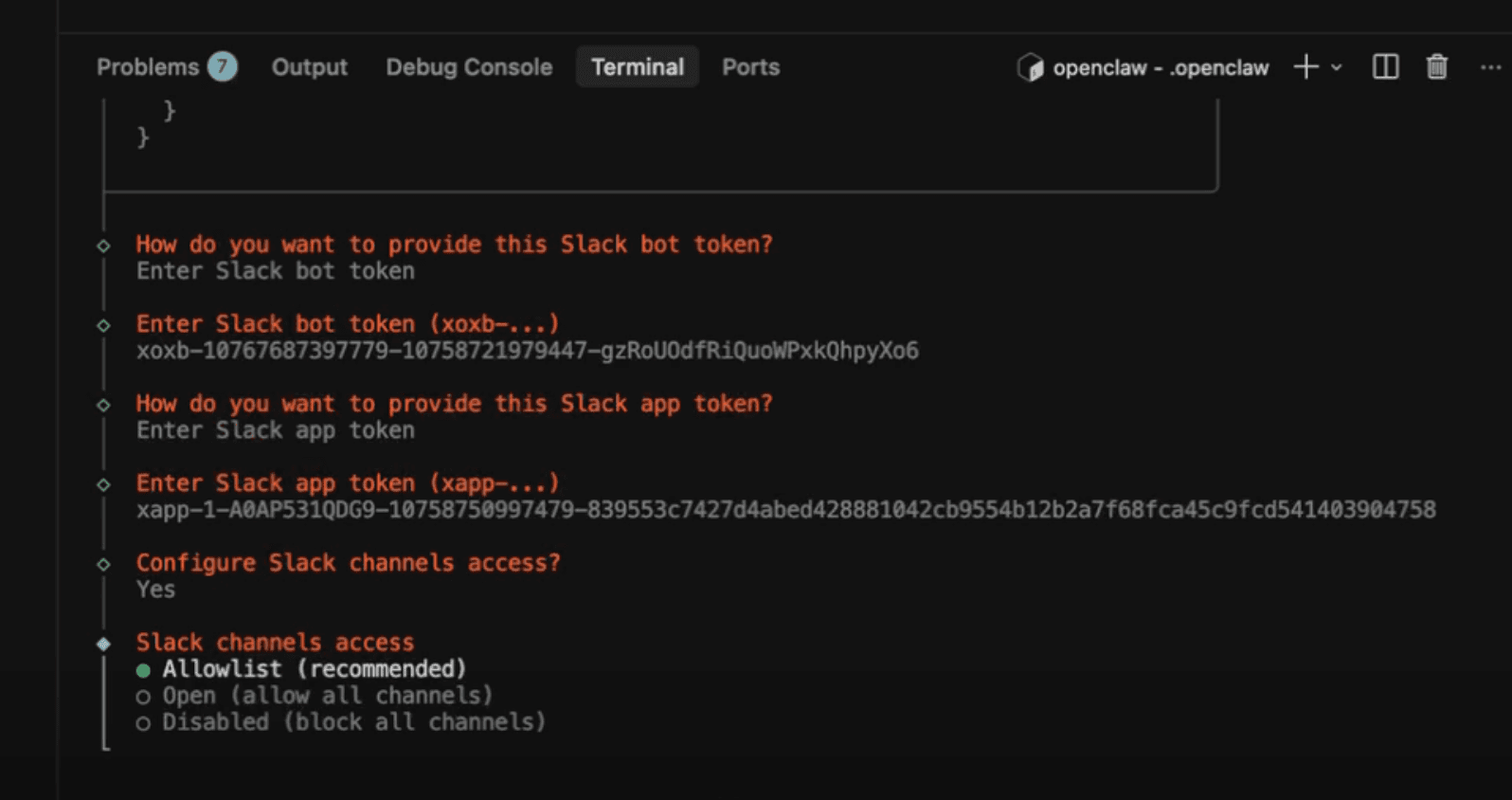
Open your workspace IDE (Launch → Agent Connections → code-server), open a terminal, and run:
openclaw configSelect the Slack channel and enter your tokens when prompted:
| Prompt | Token |
|---|---|
| Bot Token | xoxb-... |
| App-Level Token | xapp-... |
Want OpenClaw to respond to anyone who DMs the bot? Set
channels.slack.dmPolicy to "open" in your openclaw.json config.